
What Hardware Do You Need to Run Open-Source AI Agents Locally?
Running local open-source AI is now realistic for home labs and businesses, but hardware matters. This guide explores GPUs, mini PCs, Pi clusters, Apple Silicon, AMD systems, and clustering strategies to build effective AI agents without wasting money.

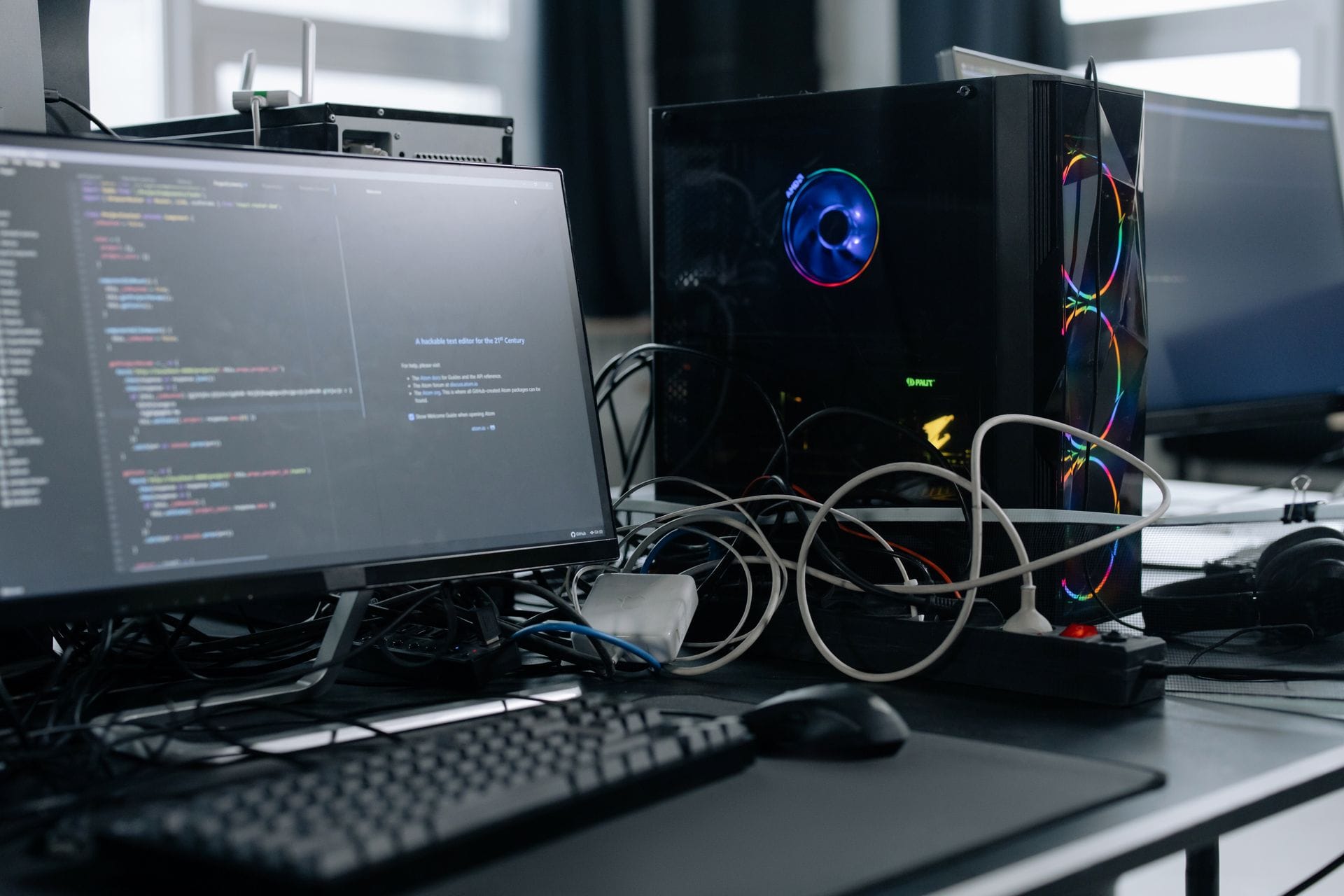
Open-source AI models are becoming powerful enough to run on local hardware, which opens the door to private AI assistants, coding agents, document-search systems, automation bots, and self-hosted business tools.
But there is a big question most people run into quickly:
What hardware do you actually need?
It is tempting to think you can buy a few cheap devices, cluster them together, and build your own private version of ChatGPT. In some cases, clustering works very well. In other cases, it is slower, more complicated, and more expensive than buying one good machine.
This article breaks down the practical hardware choices for running open-source AI models for agentic workloads, including mini PCs, Raspberry Pi clusters, NVIDIA GPU desktops, Apple Silicon, AMD AI workstations, and multi-node clusters.
What Does “Agentic AI” Mean?
Agentic AI is different from simply chatting with a model.
A normal chatbot waits for a prompt and gives a response. An agentic system can take a goal, break it into steps, call tools, search documents, use APIs, write files, send messages, run code, and continue working through a task.
Examples include:
- A coding agent that edits files and tests changes
- A business assistant that reads documents and drafts emails
- A support bot that searches a company knowledge base
- A local AI assistant connected to Home Assistant, Discord, Slack, or n8n
- A research agent that gathers information, summarizes it, and creates reports
- A private document assistant that indexes PDFs, invoices, manuals, and notes
Because agents use tools and context, they need more than just a model. A useful local AI stack usually includes:
| Component | Purpose |
|---|---|
| LLM inference server | Runs the main open-source model |
| Agent framework | Controls the workflow and tool use |
| Vector database | Stores searchable document embeddings |
| Automation platform | Connects APIs, webhooks, and business logic |
| File storage | Holds documents, logs, prompts, and outputs |
| Web UI or API gateway | Lets users interact with the system |
| Worker nodes | Handle scraping, parsing, browser tasks, or background jobs |
That matters because you do not need one machine to do everything. In fact, the best local AI systems usually separate the “brain” from the supporting services.
The Most Important Hardware Spec: VRAM
For local AI models, GPU memory is usually more important than raw GPU speed.
Open-source models need memory to load the model weights. They also need extra memory for context, tool output, document chunks, and the key-value cache used during generation.
A GPU with less memory may be fast on paper, but if the model does not fit properly, performance drops hard.
Here is a practical guide for quantized local models:
| Model Size | Practical Hardware |
|---|---|
| 1B–3B | CPU, mini PC, Raspberry Pi, small GPU |
| 7B–8B | 8 GB VRAM minimum, 12–16 GB better |
| 14B | 16 GB VRAM recommended |
| 20B–24B | 16–24 GB VRAM |
| 30B–32B | 24 GB VRAM preferred |
| 70B | 48 GB VRAM, dual GPUs, or high-memory unified systems |
| 100B+ | Multi-GPU, large unified memory, or cloud infrastructure |
For agentic work, the comfortable target is higher than the minimum. A model that runs fine for casual chat may struggle once you add long prompts, tools, retrieved documents, code output, and conversation history.
For most home lab and small-business users, the sweet spot is currently:
A 14B to 32B model running on a machine with 16 GB to 24 GB of VRAM.
That is powerful enough for useful agents without pushing you into enterprise hardware.
Can You Use Cheap Devices and Cluster Them?
Yes, but it depends what you mean by “cluster.”
There are two very different approaches.
Clustering Method 1: Horizontal Scaling
This method is the recommended approach.
Horizontal scaling means each machine runs a different part of the AI system.
For example:
User Interface
   |
Agent Controller
   |
Model Router
   |
Main GPU Model Server
   |
Vector Database / Storage / Tools
You could use:
- One GPU desktop for the main AI model
- One mini PC for n8n, Open WebUI, or the agent framework
- One NAS for documents and backups
- One small node for embeddings
- One worker node for browser automation
- One low-power device for monitoring and scheduled jobs
This setup works very well because agentic systems naturally split into smaller jobs.
A small local model can classify an email. Another service can search documents. A browser worker can scrape a webpage. The big GPU model only needs to be called when reasoning or writing is required.
This approach is the best way to use lower-cost hardware.
Clustering Method 2: Splitting One Big Model Across Devices
This is much harder.
Some tools can split a model across multiple GPUs or even multiple machines. Such an approach can work, but it is more complex and usually needs fast networking.
The problem is that large language models move a lot of data between memory and compute. If you split one model across several low-power machines connected over a slow network, the machines spend too much time waiting for each other.
This is where many DIY AI cluster plans fall apart.
A few Raspberry Pis or old mini PCs do not magically become one powerful AI server. They become a group of slow machines connected by a slower network.
For one large model, one strong GPU is usually better than several weak devices.
For many small agent tasks, several cheap devices can be very useful.
That distinction is the key.
Raspberry Pi Clusters: Fun, But Limited for LLMs

Raspberry Pi boards are excellent for learning Linux, hosting lightweight services, running Home Assistant, controlling sensors, and building small automation systems.
They can also run tiny AI models.
But for serious open-source LLMs, a Raspberry Pi cluster is usually not the best value.
A Raspberry Pi 5 can run small models, especially 1B to 3B models, and some heavily quantized 7B models, but it does so slowly. But it does not have the memory bandwidth or GPU acceleration needed for fast, useful local AI agents.
A Pi cluster can be useful for:
- Lightweight worker nodes
- Sensor or edge automation
- Home Assistant
- API glue
- Monitoring
- Small document-processing tasks
- Learning Kubernetes or distributed systems
It is not ideal for:
- Coding agents
- 14B or larger models
- Long-context document search
- Fast local chat
- Multi-user AI workloads
If the goal is learning, a Pi cluster is a great project.
If the goal is useful local AI, put the money toward a better inference machine.
Cheap Mini PCs: Excellent Support Nodes
Intel N100, N150, and similar low-power mini PCs are very useful in a local AI setup.
They are usually better than Raspberry Pis for general server tasks because they support standard x86 Linux, Docker, Proxmox, NVMe storage, and more RAM.
A cheap mini PC is ideal for:
- n8n
- Open WebUI
- LiteLLM
- Qdrant
- PostgreSQL
- Home Assistant
- File processing
- Agent orchestration
- API routing
- Small embeddings models
But like Raspberry Pis, they are not ideal as the main AI model server.
They can run small models on CPU, but they will not give you the fast responses people expect from a useful AI assistant.
A mini PC is best used as the control plane, not the AI brain.
NVIDIA Jetson: Good for Edge AI, Not Big LLMs
NVIDIA Jetson devices are more AI-focused than Raspberry Pis. They are designed for edge AI, robotics, camera systems, and low-power machine learning.
The Jetson Orin Nano Super, for example, is much more compelling than a Pi for AI experiments because it includes NVIDIA GPU hardware and CUDA support.
It can be a particularly well-suited fit for:
- Robotics
- Camera-based AI
- Vision agents
- Edge inference
- Low-power AI experiments
- Local sensor systems
But it still has limited memory compared with a desktop GPU. For larger open-source language models, 8 GB of memory is restrictive.
A Jetson can be part of an AI cluster, especially for vision or edge tasks, but it would not be my first choice for a main agentic LLM server.
The Best Starting Point: A Desktop With an NVIDIA GPU
For most people, the first serious local AI box should be a desktop or workstation with an NVIDIA GPU.
NVIDIA is still the easiest path because most AI software supports CUDA very well. Tools like Ollama, llama.cpp, vLLM, text-generation-webui, and many Python AI libraries tend to work best or easiest with NVIDIA hardware.
A good starter AI machine looks like this:
| Component | Recommendation |
|---|---|
| CPU | Ryzen 7, Ryzen 9, Intel i7, or similar |
| RAM | 64 GB minimum, 128 GB preferred |
| GPU | 16 GB VRAM minimum, 24 GB preferred |
| Storage | 2 TB NVMe |
| OS | Ubuntu Server, Debian, or another Linux server distro |
| Network | 2.5GbE minimum, 10GbE preferred for clustering |
| Software | Ollama, llama.cpp, Open WebUI, LiteLLM, Docker |
The GPU is the most important purchase.
A 16 GB GPU can run many useful 7B, 8B, 14B, and some 24B models. A 24 GB GPU gives you much more room for stronger coding and reasoning models.
Best Value GPU Options
16 GB GPUs
A 16 GB GPU is the practical entry point for serious local AI.
Cards in this class can run:
- 7B models comfortably
- 8B models comfortably
- 14B models well
- Some 20B–24B models with quantization
This is a good choice for:
- Personal AI assistants
- Small coding agents
- Local RAG
- Document chat
- Business automation
- Experimenting with agents
If you are buying new and want to keep the budget under control, a 16 GB NVIDIA GPU is a reasonable starting point.
RTX 3090 24 GB
A used RTX 3090 is still one of the most compelling value options for local AI.
It has 24 GB of VRAM, which is more useful for LLMs than many newer midrange GPUs with less memory.
A 24 GB GPU can run stronger models and gives you more room for the following:
- Coding agents
- 24B models
- 30B/32B quantized models
- Longer context
- Larger prompts
- Local business automation
The downside is that RTX 3090 cards are older, power-hungry, and often bought used. You need to be careful about condition, cooling, fan noise, and seller reputation.
Still, for a home lab AI box, a good RTX 3090 build is one of the best price-to-capability options.
RTX 4090 / RTX 5090 Class
High-end consumer NVIDIA GPUs are excellent for local AI.
They are fast, widely supported, and simple compared with multi-GPU or distributed setups.
They are good for:
- Fast 14B and 24B models
- 32B models
- Local coding agents
- Vision models
- Image generation
- Heavier RAG workflows
- More concurrent use
The downside is cost. Once you are spending this much, the machine becomes less of a hobby box and more of a business infrastructure decision.
Workstation GPUs
NVIDIA workstation cards with 48 GB or more VRAM are excellent for larger models.
They can be useful if you like:
- 70B-class local models
- More stable professional workloads
- ECC memory
- Long-running inference
- More predictable workstation behavior
The downside is obvious: they are expensive.
For most home lab users, a 24 GB consumer GPU is a better starting point.
Apple Silicon: Quiet, Efficient, and High Memory
Apple Silicon is an interesting option for local AI because of unified memory.
Instead of having separate system RAM and GPU VRAM, Apple’s architecture allows the GPU to access a shared pool of memory. This makes high-memory Mac systems attractive for larger local models.
A Mac Studio with lots of unified memory can run models that would not fit on many consumer GPUs.
Apple Silicon is good for:
- Quiet local AI
- Personal workstation use
- Large-memory model experiments
- Ollama and llama.cpp with Metal support
- Developers who already prefer macOS
It is less ideal for:
- CUDA-based AI stacks
- Linux server workflows
- vLLM-heavy deployments
- GPU upgrade flexibility
- Budget builds
A high-memory Mac can be a very nice local AI workstation, but it is not the most flexible AI server.
AMD Ryzen AI Max Systems: A New Category to Watch
AMD’s Ryzen AI Max systems are very intriguing because they combine strong CPU performance, integrated graphics, and large unified memory in compact desktops and mini workstations.
Some systems can be configured with up to 128 GB of unified memory, which makes them much more useful for local AI than normal mini PCs.
This category is worth watching because it may become one of the best options for quiet, compact, high-memory local AI.
These machines are good for:
- Compact local AI workstations
- Large-memory experiments
- Running bigger quantized models
- Quiet office setups
- Developers who want more memory without a huge GPU tower
The main drawback is software support. NVIDIA CUDA is still the safer and more mature path for many AI tools.
AMD systems are improving quickly, but if you want the least painful local AI server today, NVIDIA is still the default recommendation.
What About Old Enterprise Servers?
Old enterprise servers can look attractive because they are cheap and have lots of RAM.
But they are usually not the best choice for local AI.
Problems include:
- High power usage
- Noise
- Heat
- Older CPUs
- Limited GPU compatibility
- Rackmount form factor
- More maintenance
- Poor performance per watt
They can still be useful for storage, virtualization, backups, and lab work. But for AI inference, a newer desktop with a decent GPU is usually better.
Recommended Hardware Tiers
Tier 1: Learning and Experimenting
This tier is best for people who want to learn the software stack before buying a GPU.
Hardware:
- Existing desktop, laptop, or mini PC
- 16–32 GB RAM
- NVMe storage preferred
Use it for:
- Open WebUI
- Ollama
- Small models
- n8n
- Vector databases
- Prompt testing
- Agent workflows
Best models:
- 1B–4B models
- Small 7B models if you are patient
This is a good first step, but it will not feel like a powerful local assistant.
Tier 2: Budget Agent Server
Best for useful personal agents and small business automation.
Hardware:
- Desktop PC
- 64 GB RAM
- 16 GB NVIDIA GPU
- 1–2 TB NVMe
Use it for:
- Local chat
- Document search
- Business automation
- Coding help
- Small agent workflows
Best models:
- 7B
- 8B
- 14B
- Some 20B–24B quantized models
This is the first tier that feels genuinely useful.
Tier 3: Serious Home Lab AI Box
Best for power users, developers, and small businesses.
Hardware:
- Desktop workstation
- 128 GB RAM
- 24 GB NVIDIA GPU
- 2 TB or larger NVMe
- Good cooling
- 2.5GbE or 10GbE networking
Use it for:
- Coding agents
- Stronger reasoning models
- RAG over large document sets
- Local AI APIs
- Multiple automation workflows
- Private business assistant tools
Best models:
- 14B
- 24B
- 30B/32B quantized models
This is the sweet spot for many serious local AI users.
Tier 4: High-End Local AI Workstation
Best for users who want larger models and faster performance.
Hardware:
- RTX 4090, RTX 5090, workstation GPU, high-memory Mac Studio, or AMD AI Max workstation
- 128–256 GB RAM or unified memory
- Large NVMe storage
- 10GbE networking
Use it for:
- Larger local models
- Multi-user inference
- Vision models
- Advanced coding agents
- Local AI product development
- Client demos
This tier is powerful, but the cost rises quickly.
The Best Architecture for Local AI Agents
Instead of building one overloaded machine, build a small AI platform.
A practical setup looks like this:
Main AI GPU Server
- Runs the large language model
- Hosts Ollama, llama.cpp, or vLLM
- Handles reasoning and generation

Control Plane Mini PC or VM
- Runs n8n, Open WebUI, LiteLLM, and agent logic
- Routes requests to the right model
- Handles schedules, webhooks, and APIs

Storage Server or NAS
- Stores documents, backups, logs, and model files

Worker Nodes
- Run browser automation
- Parse documents
- Generate embeddings
- Handle background tasks
This design is flexible because you can upgrade one part at a time.
Need better models? Upgrade the GPU server.
Need more automation? Add a worker node.
Need better document search? Improve storage and vector search.
Need more reliability? Add monitoring and backups.
This is much better than trying to make a pile of cheap devices behave like one expensive GPU.
Software Stack to Consider
A good self-hosted AI stack might include:
| Tool | Purpose |
|---|---|
| Ollama | Easy local model serving |
| llama.cpp | Efficient GGUF model inference |
| Open WebUI | Chat interface for local models |
| LiteLLM | Model routing and API compatibility |
| n8n | Workflow automation |
| Qdrant | Vector database for RAG |
| PostgreSQL/pgvector | Database and vector search |
| LangGraph | Agent workflows |
| Docker | Deployment and isolation |
| Proxmox | Virtualization and homelab management |
For most users, begin with a simple setup:
- Install Ollama
- Add Open WebUI
- Run a few models
- Add document search
- Add n8n or an agent framework
- Add a GPU server when CPU inference becomes too slow
Do not overbuild the cluster before you know what workloads you actually have.
So, Should You Cluster Cheap Devices?
Yes, but only for the right jobs.
Use cheap devices for:
- Automation workers
- Web scraping
- Monitoring
- Small models
- API tools
- Document parsing
- Home Assistant
- Embedding jobs
- Background tasks
Do not rely on cheap devices for:
- One large LLM
- Fast coding agents
- 70B models
- Heavy long-context inference
- Multi-user AI chat
The most practical answer is:
Cluster the services, not the model.
Let one strong GPU machine run the main model. Let cheaper machines support the agent system that surrounds the main model.
Recommended Build for Most Users
For a serious but realistic local AI setup, the best starting point is:
- Desktop tower
- 64–128 GB RAM
- NVIDIA GPU with 16–24 GB VRAM
- 2 TB NVMe
- Linux
- Docker
- Ollama
- Open WebUI
- LiteLLM
- n8n
- Qdrant or PostgreSQL
If the budget allows, choose 24 GB of VRAM. That extra memory gives you much more room for stronger models, longer context, and more useful agents.
If the budget is tight, start with a 16 GB NVIDIA GPU and build the rest of the system around it.
Final Thoughts
Running open-source AI locally is no longer just a research project. With the right hardware, it is now realistic to build private AI assistants, coding agents, document search tools, and business automation systems at home or in a small office.
The trick is choosing the right architecture.
A Raspberry Pi cluster or pile of mini PCs can be useful, but not because they become one giant AI brain. They are useful because agentic AI is made of many smaller services.
For the main model, buy the best GPU memory you can afford.
For everything around the model, use your home lab, mini PCs, containers, and automation tools.
The best local AI setup is not one massive machine or one gimmicky cluster.
It is a practical platform:
one strong inference server, several reliable support services, and a workflow that uses the right model for the right job.
That is where open-source AI becomes genuinely useful.
💡 Important Disclosure
This article contains affiliate links, which means I may earn a small commission if you click through and make a purchase—at no additional cost to you. These commissions help support the ongoing creation of helpful content like this. Rest assured, I only recommend products and services I use or genuinely believe can provide value to you.
Thanks for Your Support!
I truly appreciate you taking the time to read my article. If you found it helpful, please consider sharing it with your friends or fellow makers. Your support helps me continue creating content like this.
- Leave a Comment: Got questions or project ideas? Drop them below—I'd love to hear from you!
- Subscribe: For more tutorials, guides, and tips, subscribe to my YouTube channel and stay updated on all things tech!
- Shop & Support: If you're ready to get started, check out the recommended products in my articles using my affiliate links. It helps keep the lights on without costing you anything extra!
Thanks again for being part of this community, and enjoy building!
Binary Tech Labs
YouTube content creator that provides tech tutorials and reviews on Home Assistant, IoT devices, Raspberry Pi and other Single Board Computers